The Push‑Permission Ask: A PM’s Teardown
A practical teardown on timing, copy, and measurement to ask for push permissions without wrecking activation or trust.

This teardown is for PMs who run consumer or mobile‑first apps where retention depends on timely touchpoints — news, social, commerce, and apps with critical alerts. You will leave with a step‑by‑step plan to design the push‑permission ask, a funnel to measure it, and a worked experiment you can run this week.
In brief
- Separate product consent from OS consent. Ask for product‑level intent first.
- Use contextual value exchange. Ask when the user sees the benefit.
- Measure the full funnel, not just the first‑session grant rate.
- Design paths for decliners and for re‑grant, without tricks.

Why the push‑permission ask breaks activation
Push permissions are binary and sticky. If a user declines the system prompt, you cannot show that system dialog again without a trip to device settings. That friction makes the first ask high‑stakes. Many teams fire the OS prompt on first open to “get it out of the way” and end up suppressing long‑term engagement for a large part of the base.
Principle: Treat OS consent as the last step in a designed journey, not the first tap in a new user’s session.
The fix is to decouple OS consent from product consent. Product consent is a reversible preference you manage in‑app: “I want breaking news,” “I want price drops,” “I want order updates.” This lets you stage progressive asks, show value first, and recover gracefully when users are not ready.
Design patterns that work
- Contextual in‑flow asks: Place a pre‑permission card where the benefit is obvious — after follow, subscribe, save, or purchase.
- Graduated permission gating: Let users preview or queue the benefit (e.g., “saved for later”) before asking for OS consent to deliver it.
- Just‑in‑time triggers: Defer the OS prompt until the user opts into a specific alert category.
- Re‑engagement for decliners: Respect a no, surface a quiet path to turn on later, and remind only when the context is strong.

Trade‑offs: ask early vs ask late
| When to ask | Pros | Cons | Good for |
|---|---|---|---|
| Early (first session) | Captures intent while attention is high; simple to implement | Low perceived value; higher decline; can hurt activation and trust | Apps with critical, obvious utility from the start |
| Mid (after micro‑conversion) | User just did a related action; clear value exchange | Requires flow orchestration; needs category‑level copy | Social follows, content subs, price/watchlists |
| Late (after repeated value) | Higher quality grants; lower complaint risk | Fewer users see the ask; slower ramp of the granted cohort | Apps where proof builds over days |
Defaulting to an aggressive early ask can spike short‑term grants but drive churn, complaints, and privacy pushback. Late asks protect activation but may slow growth of the granted cohort. Choose based on your core loop and how soon the value is felt.
Measure the whole funnel
Optimize for long‑term lift, not the first‑session grant rate. Instrument this end‑to‑end path:
Who saw your in‑app ask.
Who progressed to the system dialog.
System permission state = allowed.
Subscribed categories, alerts queued or delivered.
From both granted and non‑granted cohorts.
Daily actives attributable to the granted cohort.
Post‑prompt opt‑outs, negative feedback, uninstall rate shifts.
Users who later enable after declining.
Look at cohort‑adjusted retention and contribution to your north‑star engagement metric. If prompts correlate with session drops or uninstalls, add guardrails and shift the timing.
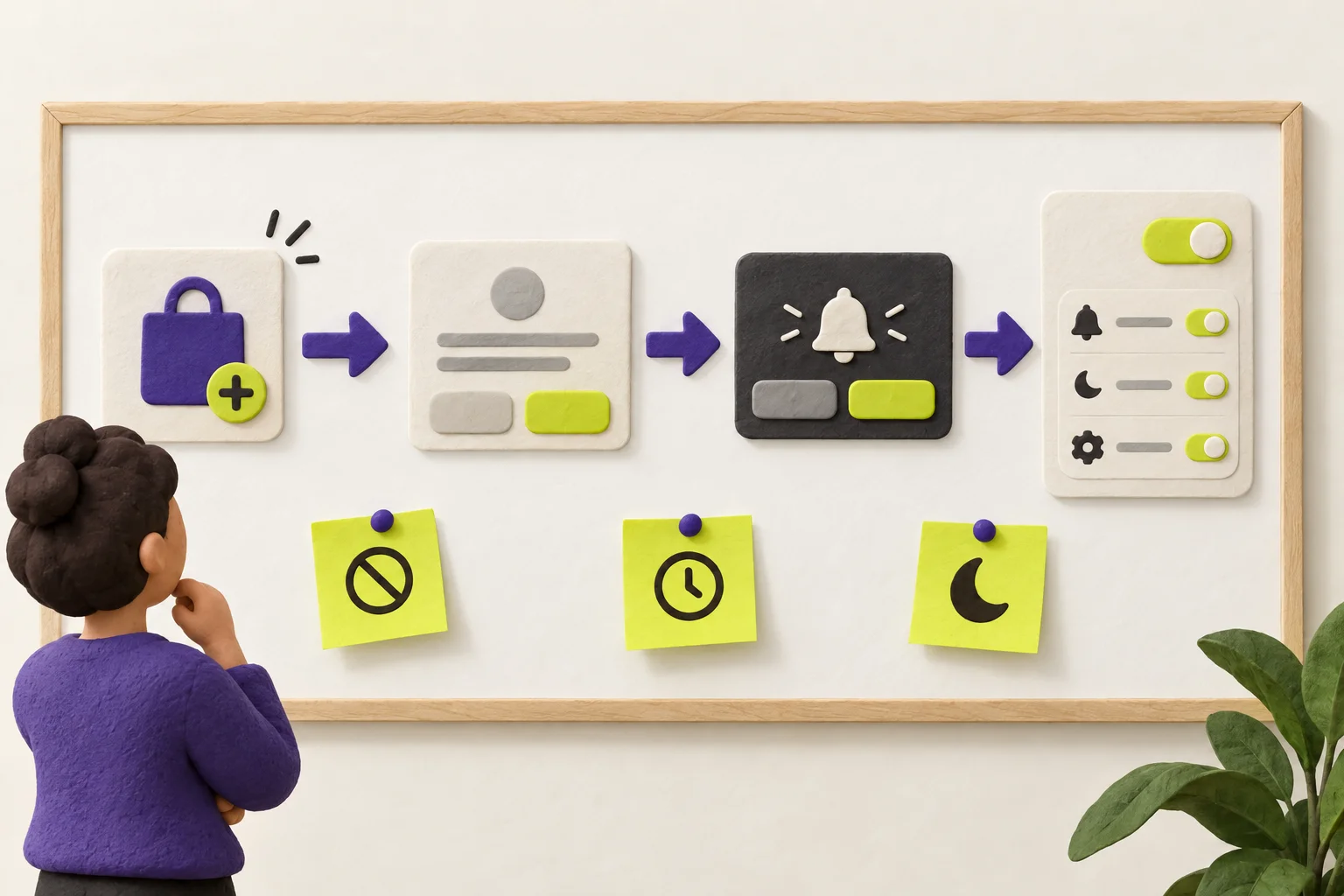
The steps, in order
Define product‑level consent states
List alert categories users can opt into (e.g., breaking news, price drops, DMs, order status). Treat these as preferences you can set before OS consent. Make them reversible in one tap.
Map high‑signal contexts
Find moments with clear value exchange: after follow/subscribe/save, after purchase, when a watchlist is created, or when the user misses an event. These become your pre‑permission trigger points.
Design pre‑permission UX
Use a lightweight, branded card or inline callout: what they get, how often, and that they can turn it off. Avoid system‑looking fakes or timers. Include a Not now path.
Microcopy pattern: “Get price‑drop alerts for items you save. You can change this anytime.”
Stage the OS prompt just‑in‑time
Only show the system dialog after explicit product consent for at least one category. If the user taps Allow on the pre‑permission card, immediately present the OS prompt while intent is fresh.
Provide control and recovery
Add an in‑app Notifications hub: category toggles, frequency options, quiet hours, and a link to device settings. If the user declined OS consent, show a clear path to enable later, with context.
Instrument and add guardrails
Log each funnel step. Monitor short‑term drops in session length, spikes in opt‑outs, and uninstall rate around the prompt. Respect edge cases: shared devices, locales, and accessibility. Test copy and focus order with screen readers. Localize counts and time windows.
Worked example: a 3‑step experiment
Goal: find the timing that improves retention and meaningful activity, not only grants. Run three arms in parallel for new users.
- Baseline: Show the OS prompt at install/first open. No pre‑permission. Record grant and downstream metrics.
- Pre‑permission first: Show a small in‑app card describing a single high‑value category (e.g., “price drops for saved items”) with Allow and Not now. If Allow, trigger the OS prompt.
- Late, in‑context: Delay any ask until the user completes a high‑value action (e.g., follows 3 creators, saves 2 items, or makes a purchase). Then show the same pre‑permission card, followed by the OS prompt only after opt‑in.
What to track for each arm
- Funnel: Pre‑permission views → OS prompt shown → Granted.
- Engagement: Enabled actions (subs created, alerts queued) and DAU from the granted cohort.
- Retention: 7‑ and 30‑day retention for granted vs non‑granted cohorts.
- Risk signals: Complaint/opt‑out actions, and uninstall rate change around the prompt window.
- Recovery: Re‑grant rate for initial decliners who later enable.
Decision rules
- If early prompts lift grants but correlate with worse 7‑day retention or higher opt‑outs, prefer the in‑context strategy.
- If in‑context prompts reduce complaints and improve cohort retention with acceptable reach, ship them broadly and backfill with periodic, contextual reminders.
- If late prompts limit reach too much, widen trigger conditions (e.g., after the first follow instead of the third) and retest.
Copy and UI details that matter
- Be specific: Name the category (“Price drops for saved items”) instead of “Enable notifications.”
- Set expectation: Frequency and control (“A few times a week. Change anytime.”).
- Offer a quiet exit: “Not now” and an unobtrusive later nudge in the same context.
- One permission at a time: Don’t bundle multiple device permissions with notifications.
Common mistakes to avoid
- Asking on first open with no context.
- Using fake system dialogs or claims that misrepresent OS behavior.
- Measuring only grant rate and ignoring retention or complaint signals.
- Ignoring edge cases: shared/family devices, language/locale, accessibility.
- Failing to provide a clear revert or opt‑out path in‑app and to device settings.
What you will have at the end
By following these steps you will have: a product‑level consent model, a map of trigger contexts, a pre‑permission pattern and copy, a just‑in‑time OS prompt, an in‑app control center, and a funnel that ties permissions to retention and meaningful use.